Develop a NOMAD plugin
In this tutorial, we develop a custom NOMAD plugin that extends NOMAD with a domain-specific schema package and a corresponding normalization process. To follow the full development workflow, we use a sintering process as an example, covering everything from creating a plugin repository and defining schemas to implementing normalization. By the end of the tutorial, we will have produced a working plugin that can be tested locally and integrated into a NOMAD Oasis deployment.
What you will learn
In this tutorial, you will learn how to:
- Create and version-control a NOMAD plugin repository using Git and GitHub
- Generate a plugin project using the official NOMAD cookiecutter template
- Define custom NOMAD schema packages using YAML and Python
- Register schema packages as NOMAD plugin entry points
- Implement normalization process that adds functionality to a schema
- Test and prepare the plugin for integration into a NOMAD Oasis deployment
Before you begin
This tutorial assumes basic familiarity with Python and Git and is intended for users who want to extend NOMAD with custom schemas and normalization process.
Before starting this tutorial, make sure you have the following:
-
GitHub account
Required to create and manage the plugin repository. You can create a free account at github.com/signup. -
Basic understanding of Python
You should be comfortable reading and writing basic Python code, including modules, functions, and classes. -
Basic understanding of NOMAD metainfo
Familiarity with NOMAD’s metainfo system is helpful. If needed, review FAIRmat Tutorial 8. -
Local or cloud-based development environment
You need either:- A Linux-based local machine with Python ≥ 3.12, or
- Access to GitHub Codespaces for cloud-based development.
Background concepts used in this tutorial (optional)
This tutorial touches on several common software-development tools and concepts. You do not need to master them in advance, but the links below may be helpful if you are unfamiliar with any of them:
Create a plugin repository
First, you will version-control your NOMAD plugin by creating a GitHub repository from the official template. Start from the official GitHub template repository at github.com/FAIRmat-NFDI/nomad-plugin-template.
To create a new repository from the template, select Use this template and then choose Create a new repository. You must be logged in to GitHub to see this option.
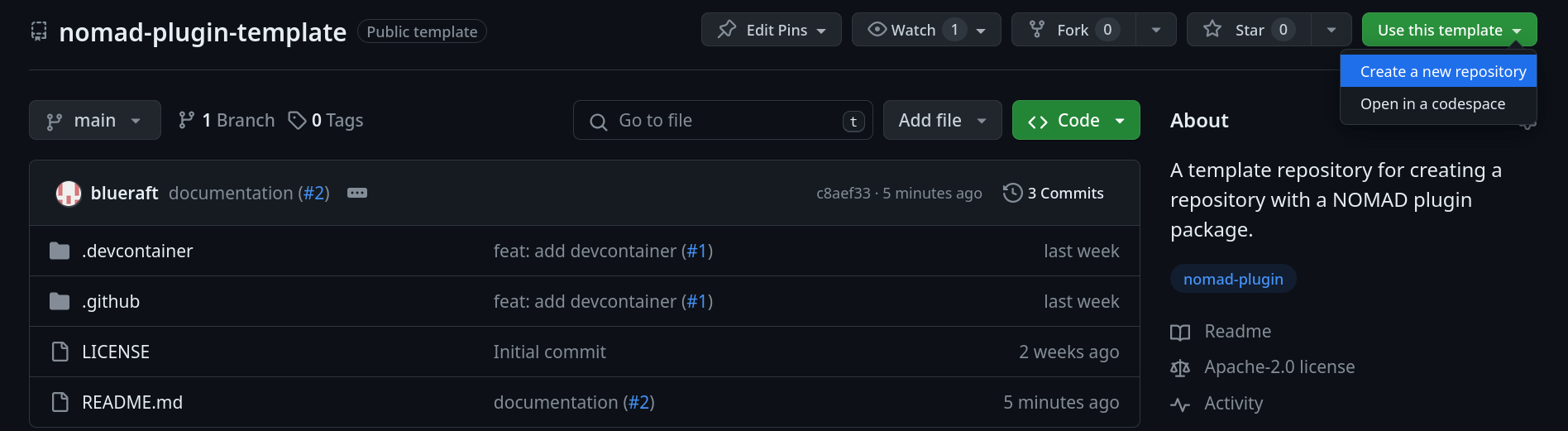
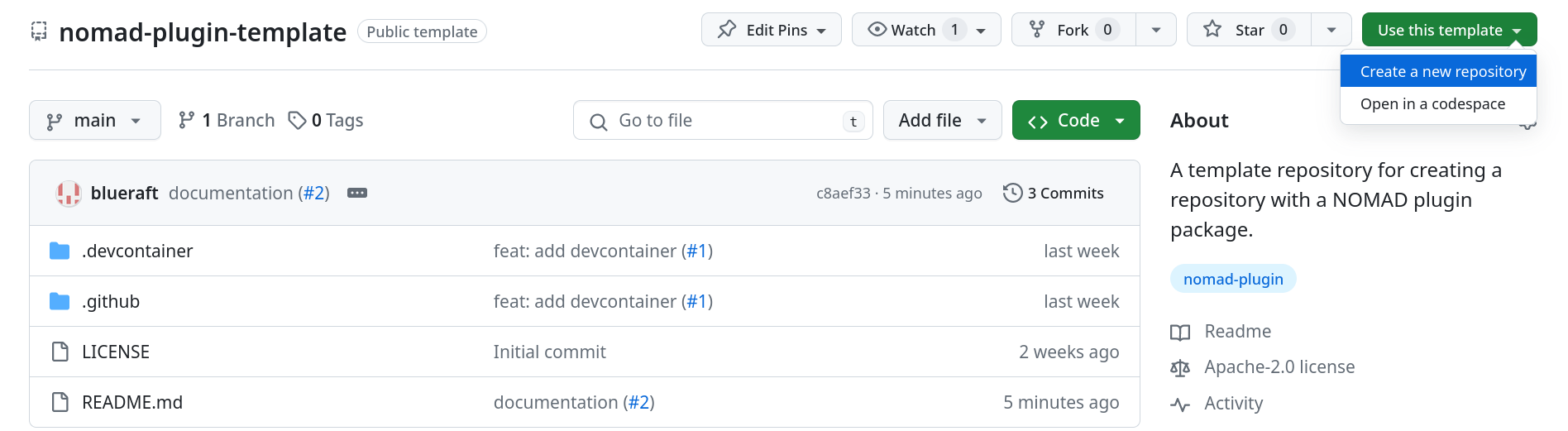
Enter a repository name (for example, nomad-sintering) and select Create repository to complete the setup.
Generate the plugin structure
Next, you will generate the initial structure of the plugin by applying the official NOMAD cookiecutter template.
Choose a development environment
You can proceed in one of two ways:
- Use GitHub Codespaces (cloud-based development), or
- Develop locally on Linux.
Using GitHub codespaces
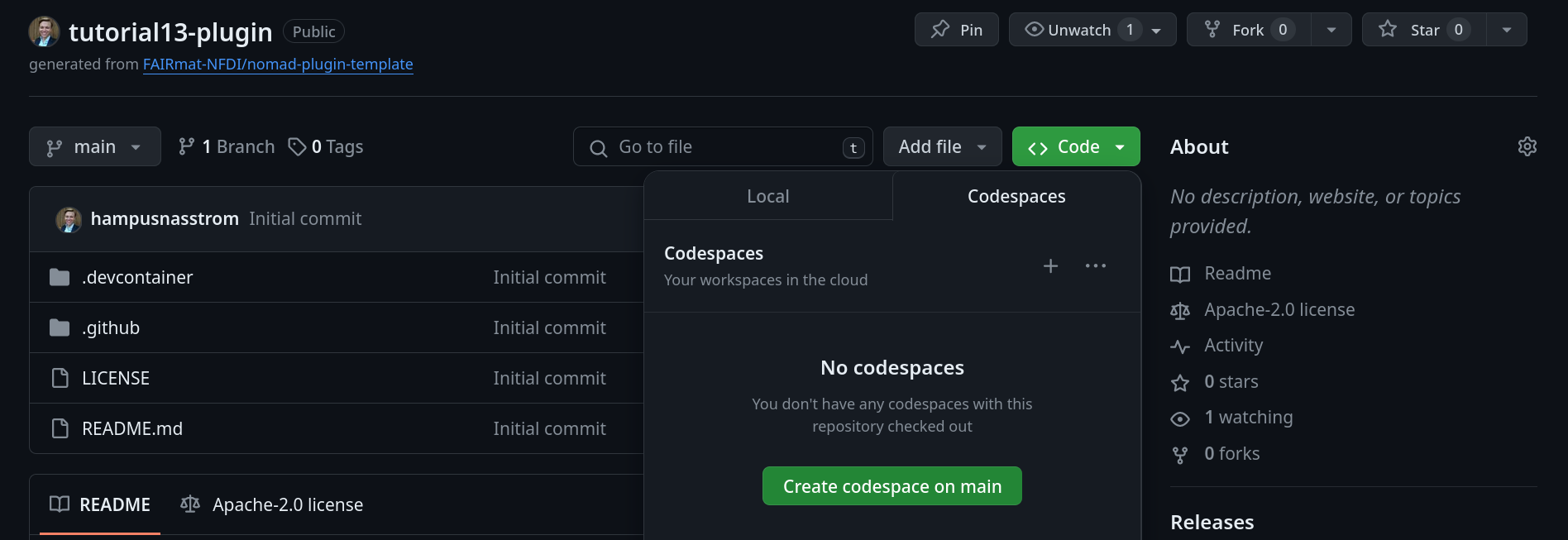
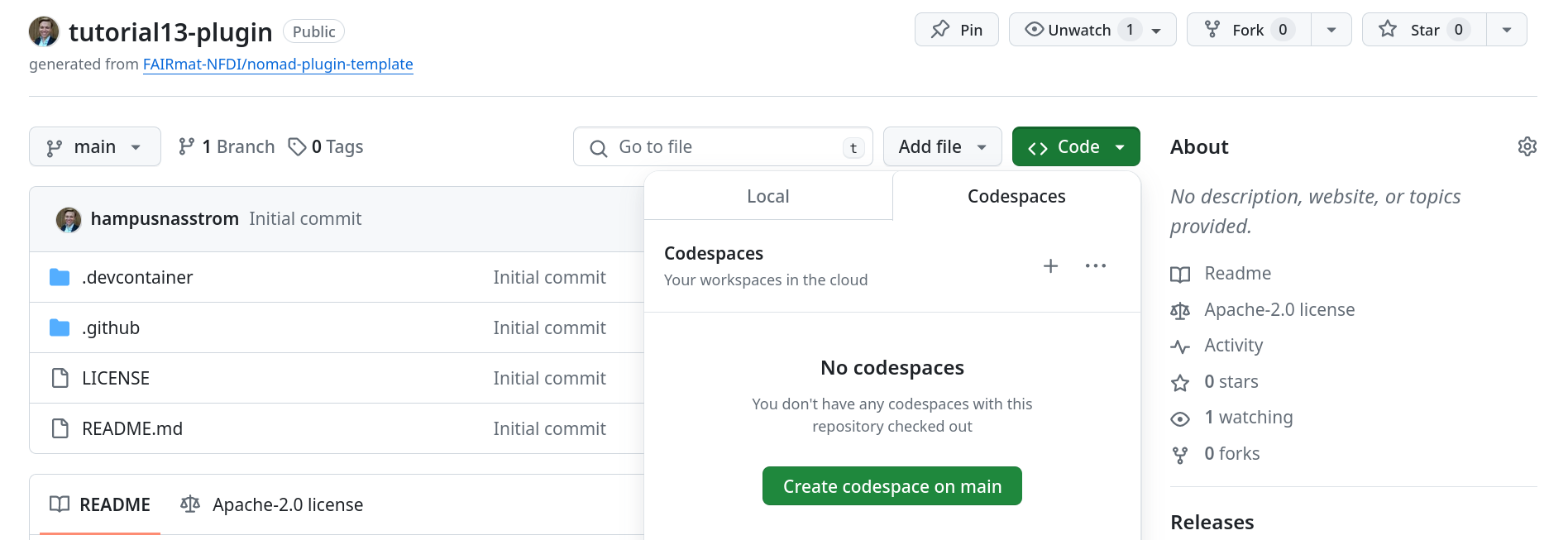
To use a GitHub codespace for the plugin development, click on the <> Code button in the repository and choose Create codespace on main.
Developing locally
If you prefer to work locally on a Linux machine, click on the <> Code button in the repository and choose the “Local” tab, copy the repository URL, and clone it by running:
Use cruft to generate the plugin
Cruft is a tool that creates projects from Cookiecutter templates and keeps them up to date as the template evolves.
Install cruft
Install cruft, preferably using
pipx by running the following:
# pipx is strongly recommended.
pipx install cruft

# If pipx is not an option,
# you can install cruft in your Python user directory.
python -m pip install --user cruft
Run cruft
Generate the plugin structure by running:
Cookiecutter prompts you for information regarding your plugin. Enter values appropriate for your plugin. For example:
  [1/12] full_name (John Doe): Hampus Näsström
  [2/12] email (john.doe@physik.hu-berlin.de): hampus.naesstroem@physik.hu-berlin.de
  [3/12] github_username (foo): hampusnasstrom
  [4/12] plugin_name (foobar): sintering
  [5/12] module_name (sintering):
  [6/12] short_description (NOMAD example template): A schema package plugin for sintering.
  [7/12] version (0.1.0):
  [8/12] Select license
    1 - MIT
    2 - BSD-3
    3 - GNU GPL v3.0+
    4 - Apache Software License 2.0
    Choose from [1/2/3/4] (1):
  [9/12] include_schema_package [y/n] (y): y
  [10/12] include_normalizer [y/n] (y): n
  [11/12] include_parser [y/n] (y): n
  [12/12] include_app [y/n] (y): n
Selecting y for include_schema_package creates a Python package for the schema.
You have just created a minimal NOMAD plugin with a plugin entry point for a schema package
nomad-sintering/
├── LICENSE
├── MANIFEST.in
├── README.md
├── docs
│   └── ...
├── mkdocs.yml
├── move_template_files.sh
├── pyproject.toml
├── src
│   └── nomad_sintering
│       ├── __init__.py
│       └── schema_packages
│           ├── __init__.py
│           └── mypackage.py
└── tests
    ├── conftest.py
    ├── data
    │   └── test.archive.yaml
    └── schema_packages
        └── test_schema.py
The plugin is generated in a subdirectory. Move the files to the repository root using the provided helper script:
The CHANGE_TO_PLUGIN_NAME should be substituted by the name of the plugin you've created. In the above case it'll be sh nomad-sintering/move_template_files.sh.
Finally, add the files to Git and commit the changes you have made:
Enable cruft updates
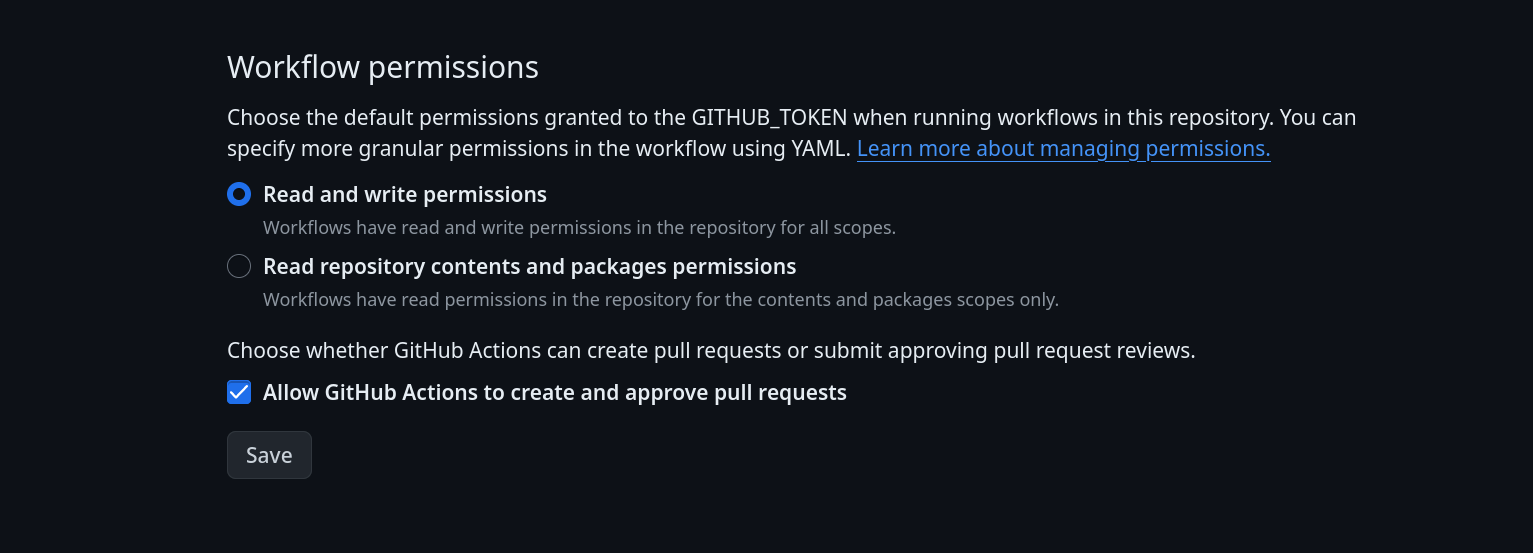
The template repository includes a GitHub Actions workflow that checks for updates to the cookiecutter template. The workflow runs automatically once a week and can also be triggered manually. To enable this functionality, grant the workflow permission to write to the repository and create pull requests.
From you plugin repository on GitHub, open the Settings page, and navigate to Actions → General (on the left pane):
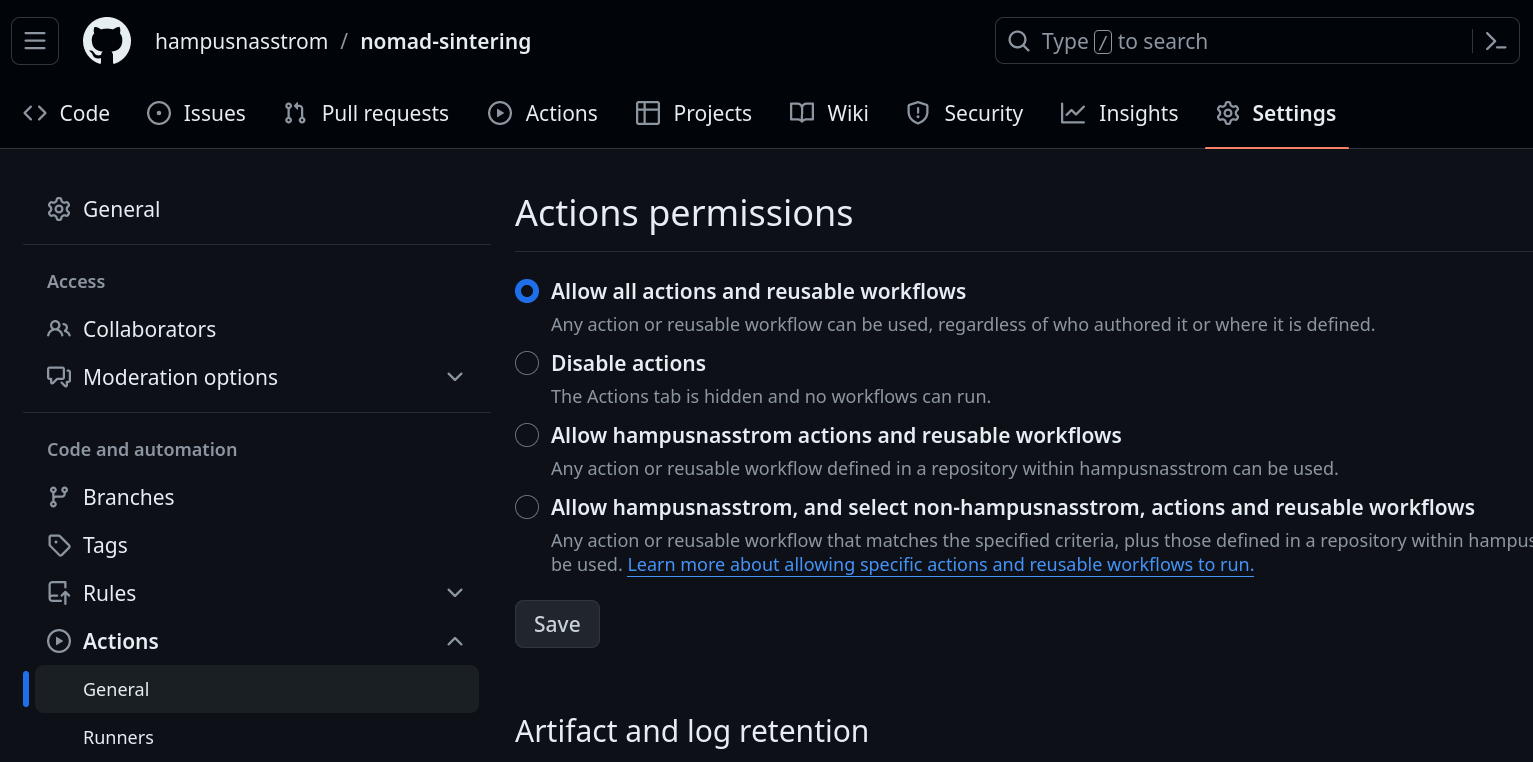
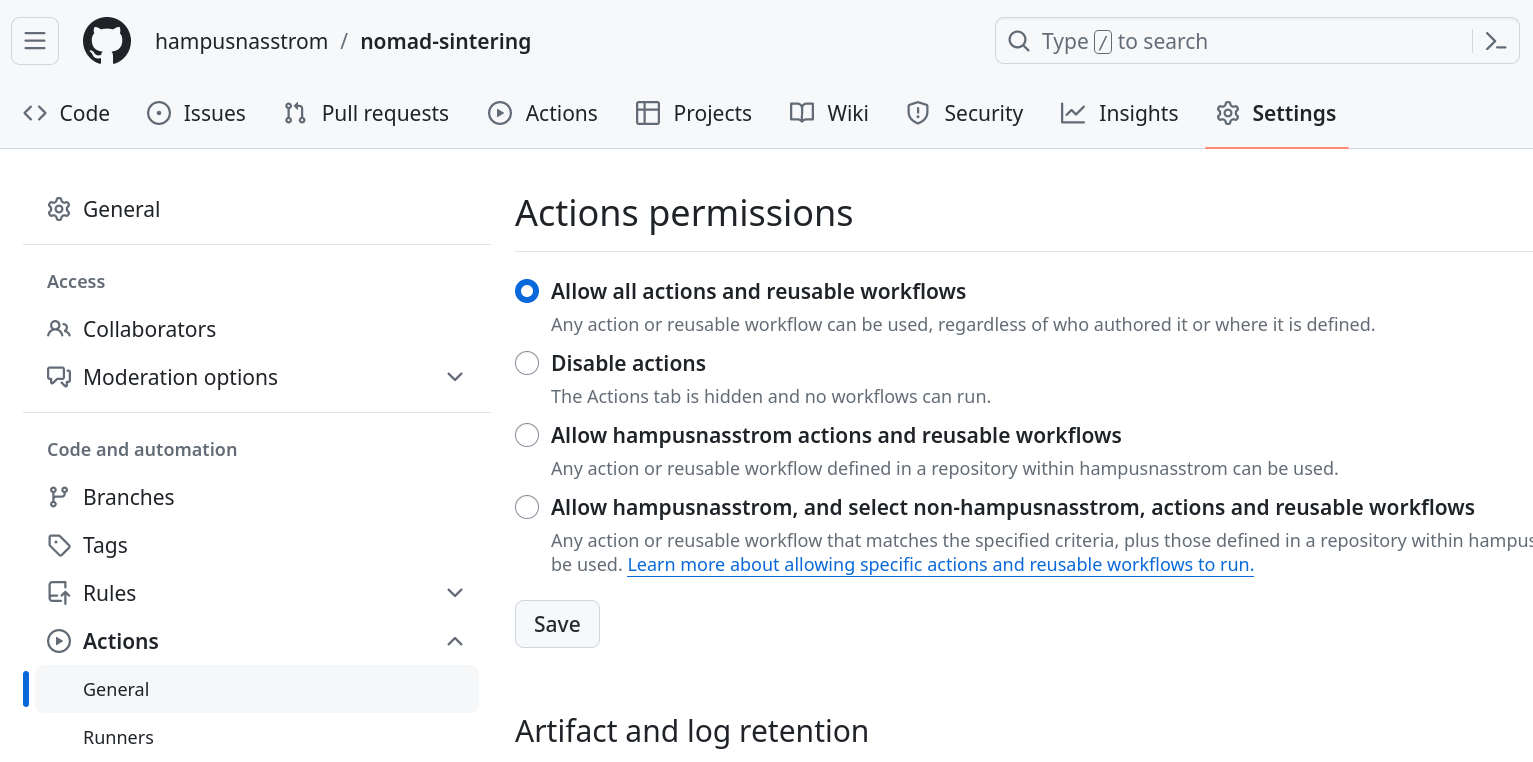
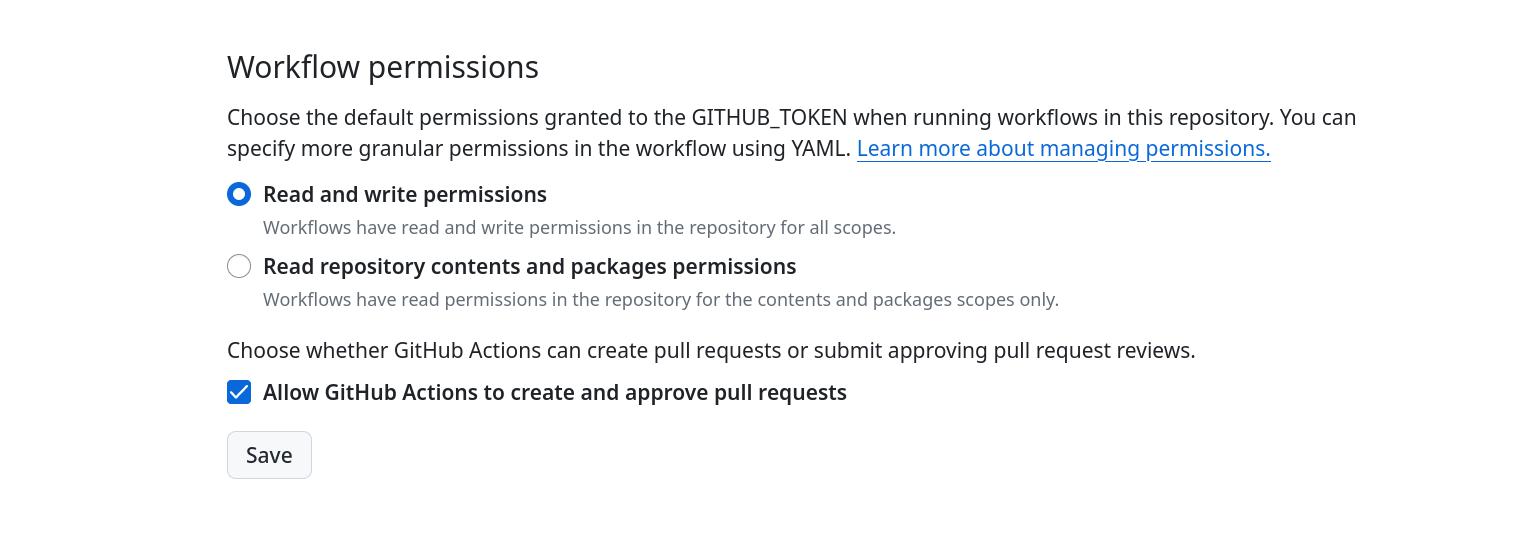
Scroll to the bottom of the page, select the "Read and write permissions" and check the "Allow GitHub Actions to create and approve pull requests" options, and then click Save.
Setting up the python environment
In this step, you will set up a Python environment and install the plugin for local development.
Creating a virtual environment
Create a virtual environment using Python 3.12 and activate it:
Installing the plugin
Install the plugin package in editable mode using the NOMAD package registry:
pip install --upgrade pip
pip install -e '.[dev]' --index-url https://gitlab.mpcdf.mpg.de/api/v4/projects/2187/packages/pypi/simple
Note
Until we have an official PyPI NOMAD release with the latest NOMAD version, make sure to include NOMAD's internal package registry (e.g. via --index-url). The latest PyPI package available today is version 1.2.2 and it misses some updates functional to this tutorial.
In the future, when a newer release of nomad-lab will be available ( 1.2.2) you can omit the --index-url.
Add a schema package to the plugin
In this step, you will add a custom schema package to the plugin and make it available to NOMAD by converting an existing YAML-based schema into Python classes and registering it as part of the plugin.
Download the YAML schema used in this step
This step uses a YAML-based schema package that defines the structure of the sintering process.
- Download
sintering.archive.yaml. - Save the file in your working directory.
Alternatively, retrieve the file using the following curl command:
Schema packages can also be written directly in Python.
For step-by-step guidance on defining schema packages from scratch, see How-to guide: Define NOMAD schema packages
Generate schema classes
You will now use an external package metainfo-yaml2py to convert the yaml schema package
into python class definitions.
Install the package:
Generate the schema classes from the sintering.archive.yaml file and place them in the schema_packages directory, by running the metainfo-yaml2py command.
The -n flag adds normalize() functions (will be used below), while the -o flag specifies the output directory.
Register the schema package
Why registering the schema package is required
Registering the schema package as a plugin entry point makes it discoverable by NOMAD at runtime. Without this registration, NOMAD cannot load the schema package, and the defined sections will not be available during data parsing or normalization.
Register the newly generated schema package as a plugin entry point by updating the metadata defined in the __init__.py file.
Copy the example SchemaPackageEntryPoint provided by the cookiecutter template and update:
- The entry point class name
- The import path in the
load()method - The instance name and referenced class
- The entry point name and description
For example:
class SinteringEntryPoint(SchemaPackageEntryPoint):

    def load(self):
        from nomad_sintering.schema_packages.sintering import m_package

        return m_package


sintering = SinteringEntryPoint(
    name='Sintering',
    description='Schema package for describing a sintering process.',
)
Add the corresponding entry point to the pyproject.toml file.
Use the existing example at the bottom of the file as a template and update it to match the name of your entry point.
Reinstall the plugin to make the new entry point available:
pip install -e '.[dev]' --index-url https://gitlab.mpcdf.mpg.de/api/v4/projects/2187/packages/pypi/simple
Before you continue, commit your changes to git:
Check code formatting
The repository uses Ruff to enforce consistent code formatting and linting.
Automatically generated files (for example from metainfo-yaml2py) may not fully comply with these rules, which can cause the formatting check in the GitHub Actions workflow to fail.
If you check the Actions tab of the GitHub repository, you might see that the last commit caused an error in the Ruff format check. To resolve this, check and format the code using Ruff.
Run the following command to check the code:
Apply automatic fixes if any issues are reported:
Commit the formatting changes:
Implement a normalize function
In this step, you add normalization process to the schema by implementing a normalize() method.
Normalization allows schema sections to derive structured values programmatically using Python.
Example input file used for normalization
This example uses a simple CSV recipe file that describes a sintering process.
Each row represents a processing step and will be converted into a corresponding
TemperatureRamp section during normalization.
- Download
sintering_example.csv. - Save the file in your working directory.
Alternatively, retrieve the file using the following curl command:
Add input file support to the schema
Add a new Quantity to the Sintering class to reference the recipe file:
data_file = Quantity(
    type=str,
    description='The recipe file for the sintering process.',
    a_eln={
        "component": "FileEditQuantity",
    },
)
The a_eln annotation configures the quantity to accept file uploads in the NOMAD GUI using the FileEditQuantity component.
Write the normalize function code
Next, implement the normalize() method to read the input file and populate the schema programmatically.
Implement the normalization process as follows:
-
Check if the data file is provided using
if self.data_file, if so, open it viaarchive.m_context.raw_file()method and read it withpd.read_csv(file): -
Create a list of processing steps by iterating over the data frame and instantiating
TemperatureRampsection:steps = [] for i, row in df.iterrows(): step = TemperatureRamp() step.name = row['step name'] step.duration = ureg.Quantity(float(row['duration [min]']), 'min') step.initial_temperature = ureg.Quantity(row['initial temperature [C]'], 'celsius') step.final_temperature = ureg.Quantity(row['final temperature [C]'], 'celsius') steps.append(step)The code snippet above uses the NOMAD unit registry to handle all the units.
-
Assign the generated list to
self.steps: -
Add the required imports of pandas and the NOMAD unit registry to the top of
sintering.pyfile:
Complete normalize implementation
from nomad.units import ureg
import pandas as pd
class Sintering(Process, EntryData, ArchiveSection):
'''
Class autogenerated from yaml schema.
'''
m_def = Section()
steps = SubSection(
section_def=TemperatureRamp,
repeats=True,
)
data_file = Quantity(
type=str,
description='The recipe file for the sintering process.',
a_eln={
"component": "FileEditQuantity",
},
)
def normalize(self, archive, logger: 'BoundLogger') -> None:
'''
The normalizer for the `Sintering` class.
Args:
archive (EntryArchive): The archive containing the section that is being
normalized.
logger (BoundLogger): A structlog logger.
'''
super().normalize(archive, logger)
if self.data_file:
with archive.m_context.raw_file(self.data_file) as file:
    df = pd.read_csv(file)
    steps = []
    for i, row in df.iterrows():
    step = TemperatureRamp()
    step.name = row['step name']
    step.duration = ureg.Quantity(float(row['duration [min]']), 'min')
    step.initial_temperature = ureg.Quantity(row['initial temperature [C]'], 'celsius')
    step.final_temperature = ureg.Quantity(row['final temperature [C]'], 'celsius')
    steps.append(step)
self.steps = steps
Test the normalize function
Run NOMAD processing on a test archive file to verify that the normalize() method is executed.
Create a test file
Create a file ending in .archive.yaml (or .archive.json) that defines a data section with:
m_def: the fully qualified name of yourSinteringsectiondata_file: the CSV recipe file
We can once again grab this file from the tutorial repository and place it in the tests/data directory using curl
curl -L -o tests/data/test_sintering.archive.yaml "https://raw.githubusercontent.com/FAIRmat-NFDI/AreaA-Examples/main/tutorial13/part3/files/test_sintering.archive.yaml"
Attention
You might need to modify the package name for the m_def if you called your python
module something other than nomad_sintering
Run the NOMAD CLI
Parse the test archive file and write the normalized output to a JSON file:
You will see an error similar to:
could not normalize section (normalizer=MetainfoNormalizer, section=Sintering, exc_info=Cannot convert from 'milliinch' ([length]) to 'second' ([time]))
This happens because ureg interprets 'min' as milli-inch instead of minutes.
Fix this by changing the duration unit from 'min' to 'minutes' in sintering.py.
def normalize(self, archive: 'EntryArchive', logger: 'BoundLogger') -> None:
    """
    The normalizer for the `Sintering` class.

    Args:
        archive (EntryArchive): The archive containing the section that is being
        normalized.
        logger (BoundLogger): A structlog logger.
    """
    super().normalize(archive, logger)
    if self.data_file:
        with archive.m_context.raw_file(self.data_file) as file:
            df = pd.read_csv(file)
        steps = []
        for i, row in df.iterrows():
            step = TemperatureRamp()
            step.name = row['step name']
            # Changed 'min' to 'minutes' here:
            step.duration = ureg.Quantity(float(row['duration [min]']), 'minutes')
            step.initial_temperature = ureg.Quantity(row['initial temperature [C]'], 'celsius')
            step.final_temperature = ureg.Quantity(row['final temperature [C]'], 'celsius')
            steps.append(step)
        self.steps = steps
Since you installed the package in editable mode the changes will take effect as soon as you
save.
Rerun the nomad parse command. The output file normalized.archive.json should now contain the populated steps section.
The beginning of that file should look something like:
{
  "data": {
    "m_def": "nomad_sintering.schema_packages.sintering.Sintering",
    "name": "test sintering",
    "datetime": "2024-06-04T16:52:23.998519+00:00",
    "data_file": "sintering_example.csv",
    "steps": [
      {
        "name": "heating",
        "duration": 1800.0,
        "initial_temperature": 25.0,
        "final_temperature": 300.0
      },
      {
        "name": "hold",
        "duration": 3600.0,
        "initial_temperature": 300.0,
        "final_temperature": 300.0
      },
      {
        "name": "cooling",
        "duration": 1800.0,
        "initial_temperature": 300.0,
        "final_temperature": 25.0
      }
    ]
  },
...
Next steps
The next step is to include your new schema in a custom NOMAD Oasis. For more information on how to configure a NOMAD Oasis you can have a look at How-to guides/NOMAD Oasis/Configuration.
Before you continue, commit your changes to git: